Why Does a Solar Generator Stop Charging at 80%?
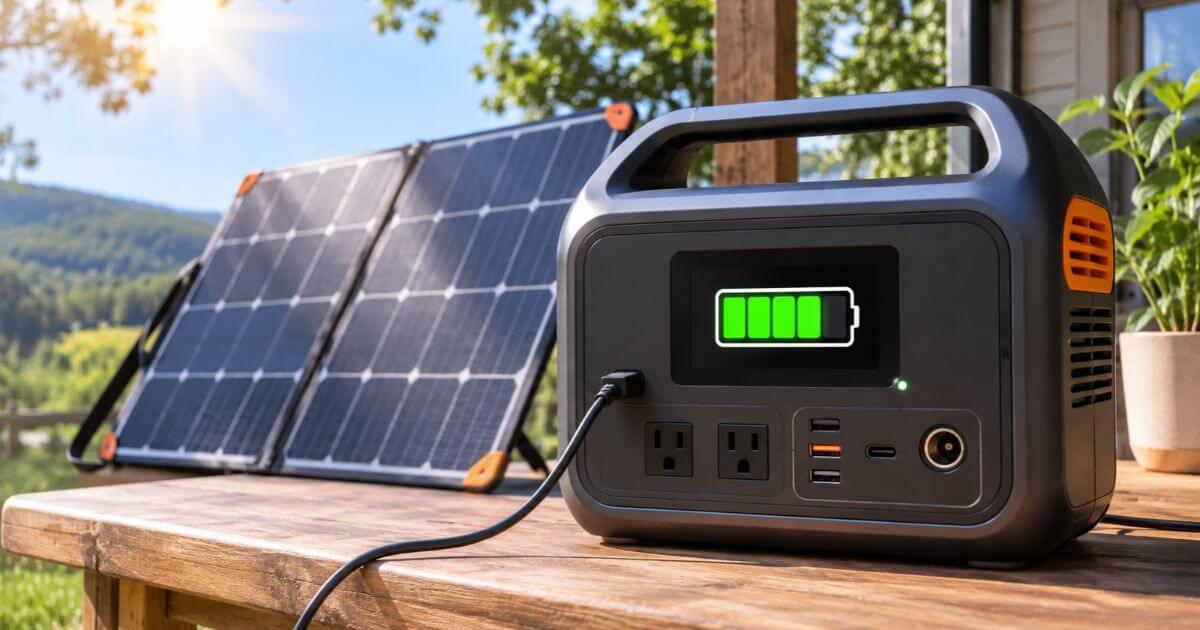
A solar generator that stops charging when the battery reaches 80% can be confusing, especially when there is plenty of sunlight and the solar panels appear to be working normally. You may expect the battery to continue charging until it reaches 100%, but that does not always happen.
In many cases, this behavior is intentional. Some portable power stations include battery protection settings that limit charging to a certain percentage. Other units may stop receiving power because of temperature conditions, solar input problems, battery management restrictions, or an issue with the charging system.
The important thing is to find out whether the 80% limit is part of the unit’s normal operation or a sign of a problem.
In this guide, we explain the most common reasons a solar generator stops charging at 80%, how to identify the cause, and what you can do to restore normal charging.
Why Does a Solar Generator Stop Charging at 80%?
There is no single explanation for every solar generator. Different manufacturers use different battery management systems, charging controls, and software settings.
Here are the most common reasons:
- A battery protection setting limits charging to 80%.
- The battery becomes too hot or too cold.
- Solar panels cannot provide enough consistent power.
- The battery management system temporarily stops charging.
- The battery percentage reading is inaccurate.
- There is a limit to how much solar power the controller can handle.
- The battery has developed a fault or lost some of its original capacity.
Let’s look at each possibility in more detail.
1. Battery Protection Settings Limit Charging to 80%
First, look at the settings that control how much the battery can charge.
Some solar generators allow owners to select a maximum charging percentage through the control panel or a mobile application. For example, you may be able to set the battery to stop charging at 80% instead of reaching a full charge.
This feature is designed to reduce the time the battery spends at a high state of charge. Keeping a lithium battery at 100% for extended periods can contribute to long-term capacity degradation, although the effect depends on the battery chemistry, temperature, and operating conditions.
An 80% charging limit can therefore be useful for people who keep their power stations connected to a charging source regularly.
How to fix it:
Open the manufacturer’s mobile application, if available, and look for battery protection, charging limit, or maximum charge settings.
Check whether the maximum charging level is set to 80%. If you need the full battery capacity, change the limit to 100%, provided the manufacturer allows this setting.
Also check the user manual because some models have different names for their battery protection features.
2. High or Low Battery Temperature
Battery temperature plays an important role in charging performance.
Solar generators contain rechargeable batteries that operate within specified temperature limits. When the battery becomes too hot or too cold, its battery management system may reduce charging power or stop charging altogether.
For example, a portable power station sitting in direct sunlight on a hot afternoon may become warmer than expected. Even when the solar panels are producing electricity, the battery may not accept that energy until its temperature returns to a suitable range.
Cold conditions can also affect charging. Some lithium batteries, particularly lithium iron phosphate (LiFePO4) batteries, have restrictions on charging below certain temperatures.
The exact limits depend on the battery and the manufacturer’s design.
How to fix it:
Move the power station to a shaded, well-ventilated location. Avoid placing it inside a hot vehicle or an enclosed area where heat can build up.
If the unit is cold, allow it to warm naturally within the manufacturer’s recommended operating conditions.
Do not use external heaters, refrigerators, or other methods to force the battery temperature to change.
Once the battery reaches an acceptable temperature, check whether charging resumes.
3. Solar Panels Are Not Providing Enough Consistent Power
Solar panel output changes throughout the day. The amount of electricity reaching your power station depends on sunlight, panel placement, weather, and other conditions.
A solar generator may continue charging when sunlight is strong but receive much less power during cloudy weather or late afternoon hours.
This can make it appear as though charging has stopped at 80%, particularly when the battery is already close to full and the charging rate has slowed.
Shading is another possible problem. Trees, buildings, dust, or even a small shadow can reduce the electricity produced by a solar panel.
Solar panel connections can also become loose, preventing the power station from receiving the expected input.
How to fix it:
Place your panels in an open area with good access to direct sunlight. Monitor their position during the day and keep them clear of shade whenever possible.
Inspect the cables and connectors for loose connections or visible damage. Check that your solar panels work with your power station.
You should also check the solar input reading on the display or mobile application.
If the input power is very low, the problem may be related to sunlight or the solar panel setup rather than the battery itself.
4. The Battery Management System Has Temporarily Stopped Charging
A battery management system (BMS) monitors important battery conditions, including voltage, temperature, and charging current.
Its job is to keep the battery operating within safe limits.
When the system detects an abnormal condition, it can reduce the charging rate or disconnect the charging source.
For example, the BMS may stop charging if a battery cell reaches its upper voltage limit before the displayed battery percentage reaches 100%.
Differences between individual battery cells can also affect charging behavior. If one cell reaches its voltage limit earlier than the others, the system may restrict further charging while the battery balances.
This does not necessarily mean the entire battery is damaged. Also, read our another topic that may help you regarding Why Is Solar Generator Charging So Slowly?
How to fix it:
Disconnect the solar charging cable and allow the power station to rest for a short period.
Check the display for warning messages or battery protection alerts. If the manufacturer provides troubleshooting instructions for a BMS protection event, follow those instructions.
Reconnect the panels and check whether the power station charges normally.
If the same problem continues, contact the manufacturer’s support team. Do not open the battery compartment or attempt to repair the internal battery system yourself.
5. The Battery Percentage Reading Is Inaccurate
Sometimes the battery is not actually stuck at 80%. The displayed percentage may simply be incorrect.
Solar generators estimate their remaining battery capacity using internal monitoring systems. Over time, the displayed charge level can become less accurate because of charging patterns, battery behavior, or changes in the system’s state-of-charge calculation.
For example, the display may show 80% even though the battery has received more energy than the reading suggests.
A similar situation can happen when the percentage suddenly changes after restarting the unit.
How to fix it:
First, restart the power station if the manufacturer recommends this troubleshooting step.
Check whether the displayed percentage changes after restarting.
If the reading remains inaccurate, consult the manufacturer’s instructions for battery calibration or state-of-charge recalibration.
Some models may require a complete charging cycle under specific conditions to improve the accuracy of the displayed reading. Others handle this process automatically.
Do not repeatedly drain the battery to 0% in an attempt to calibrate it unless the manufacturer specifically recommends that procedure.
6. The Solar Charging Controller Has an Input Limitation
A solar generator uses an internal charge controller to manage electricity coming from the solar panels.
The controller must receive power within the voltage and current limits specified by the manufacturer.
If the solar array does not meet these requirements, the charging system may reduce its output or stop accepting solar power.
For example, connecting incompatible panels or using an unsuitable combination of panels can cause the voltage to fall outside the permitted input range.
There is another important point: solar charging power does not always remain constant. When the battery approaches its upper charge limit, the charging system may reduce the amount of current going into the battery.
This is normal behavior in many charging systems.
How to fix it:
Check the solar input specifications in your power station’s manual.
Pay particular attention to:
- Maximum solar input wattage.
- Permitted solar input voltage range.
- Maximum solar input current.
- Compatible solar panel connections.
Make sure your panel arrangement follows the manufacturer’s requirements.
Never exceed the maximum permitted solar input voltage, even if your panels have a suitable combined wattage.
7. The Battery Has Lost Some of Its Original Capacity
Rechargeable batteries gradually lose capacity as they age.
The speed of this process depends on several factors, including battery chemistry, operating temperature, charging habits, and the number of charge cycles.
A worn battery may behave differently from a new one. It might charge more slowly, show unusual percentage changes, or trigger protection limits earlier than expected.
However, a charging limit of 80% alone does not prove that the battery is damaged.
A software setting, temperature restriction, or inaccurate battery reading may produce similar symptoms.
How to fix it:
Check the battery health information if your solar generator provides it.
Look for unusual behavior, such as:
- The battery percentage changing suddenly.
- Charging stopping at different levels.
- The power station shutting down unexpectedly.
- Much shorter operating time than before.
- Repeated battery protection warnings.
If these symptoms continue, contact the manufacturer or an authorized service center.
Battery replacement may be necessary if testing confirms that the battery has developed a fault.
How to Troubleshoot a Solar Generator That Stops Charging at 80%
Before assuming that your solar generator has a defective battery, work through these checks.
Step 1: Check the maximum charging limit
Open the power station’s settings and look for a battery charging limit. Change it to 100% if the 80% limit is enabled and you need a full charge.
Step 2: Check the battery temperature
Make sure the power station is operating within its recommended temperature range. Move it away from direct heat or extremely cold conditions.
Step 3: Inspect the solar panels
Look for shading, dirt, loose connectors, and damaged cables. Make sure the panels receive adequate sunlight.
Step 4: Check the solar input reading
Look at the wattage displayed by the power station. If the input is unusually low, investigate the solar panel setup and weather conditions.
Step 5: Restart the power station
Follow the manufacturer’s restart instructions. This may help if the display or charging system is temporarily unresponsive.
Step 6: Check for warning messages
Look for battery temperature alerts, overvoltage warnings, or other protection messages.
Step 7: Contact customer support
If the unit repeatedly stops at 80% despite having suitable temperature, correct settings, and adequate solar input, ask the manufacturer to investigate the battery and charging system.
Is It Bad to Charge a Solar Generator to 100%?
No. Charging a solar generator to 100% is not automatically harmful.
Most portable power stations are designed to reach a full charge when needed. However, regularly keeping a lithium battery at maximum charge for long periods may contribute to faster aging.
The effect depends on the battery chemistry and how the manufacturer manages charging.
For example, a person using a solar generator for occasional camping may prefer having the entire battery capacity available before leaving home. Someone keeping a power station connected for everyday backup may benefit from an 80% charging limit if the manufacturer provides that option.
The best approach depends on how you use the unit.
If you need maximum runtime, charging to 100% before use makes sense. If you do not need the additional capacity and your model supports an 80% limit, using that setting can help reduce prolonged storage at full charge.
Should You Replace Your Solar Generator Battery If It Stops at 80%?
Not immediately.
Replacing a battery without identifying the actual cause can be an unnecessary expense.
An 80% stopping point may result from a normal charging preference, temperature protection, a solar input issue, or an inaccurate battery reading.
Before considering replacement, check the charging settings, operating temperature, solar input, and battery warnings.
Battery service or replacement should only be considered when the manufacturer or an authorized technician identifies a battery-related fault.
If your power station is still covered by its warranty, contact the manufacturer before attempting any repair.
Final Verdict
A solar generator that stops charging at 80% does not necessarily have a faulty battery. In many situations, the charging limit is controlled by a battery protection setting or triggered by operating conditions.
Start by checking the maximum charging percentage in the power station’s settings. Then examine the battery temperature, solar input, panel connections, and any warning messages.
If the problem continues after these checks, the battery management system or internal charging components may need professional attention.
Understanding the cause before attempting a repair can save money and help keep your solar generator working reliably.